
Customization.
Make it your app, step by step.
A worked example: Muse AI becomes "Willow AI", a study helper with a teal accent and its own suggestion chips, changed in the console without touching code. The console pictures are real captures, before and after. The second half covers what you change in the code: the name under the icon, the icon and the app id.
01Before: the shipped brand
Most of what users see is set in the console, so rebranding starts there. Console → Brand on a fresh install: Product name "Muse AI", tagline "Chat, create and imagine with AI", accent colour #8B5CF6 (violet), support e-mail empty.
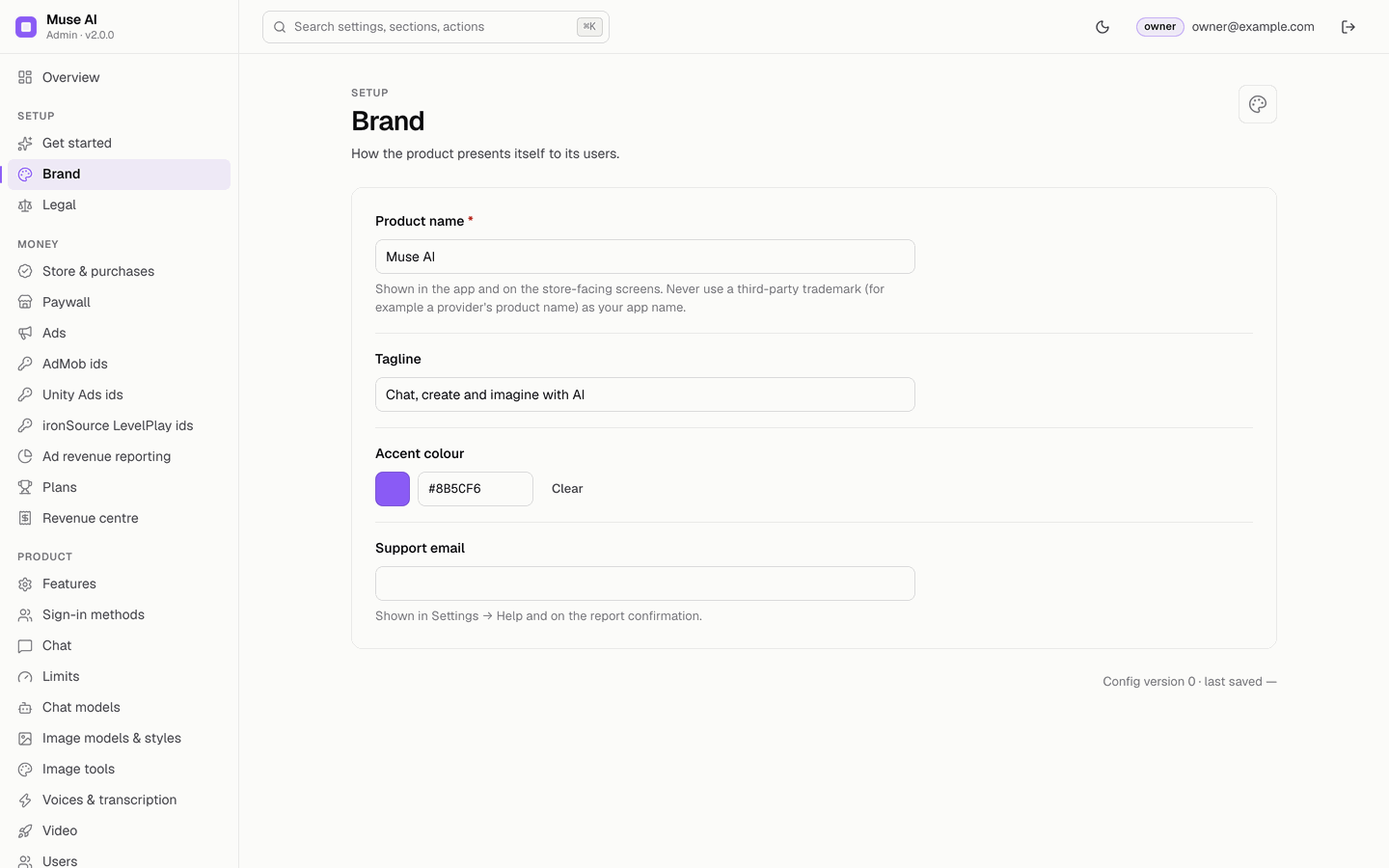
02Step 1 · Edit the Brand section
- OpenConsole → Brand (or Get started).
- Product nameType the new name, here
Willow AI. Choose a name that is yours: no provider product name and no other company's trademark. - TaglineHere
Your friendly study and writing helper. - Accent colourClick the colour square or type a hex value, here
#0D9488(teal). Pick a colour that keeps white text readable on buttons. - Support emailYour own support address; the app opens it from Settings → Contact support.
- SaveThe bar at the bottom says "4 unsaved changes in Brand". Click Save changes.
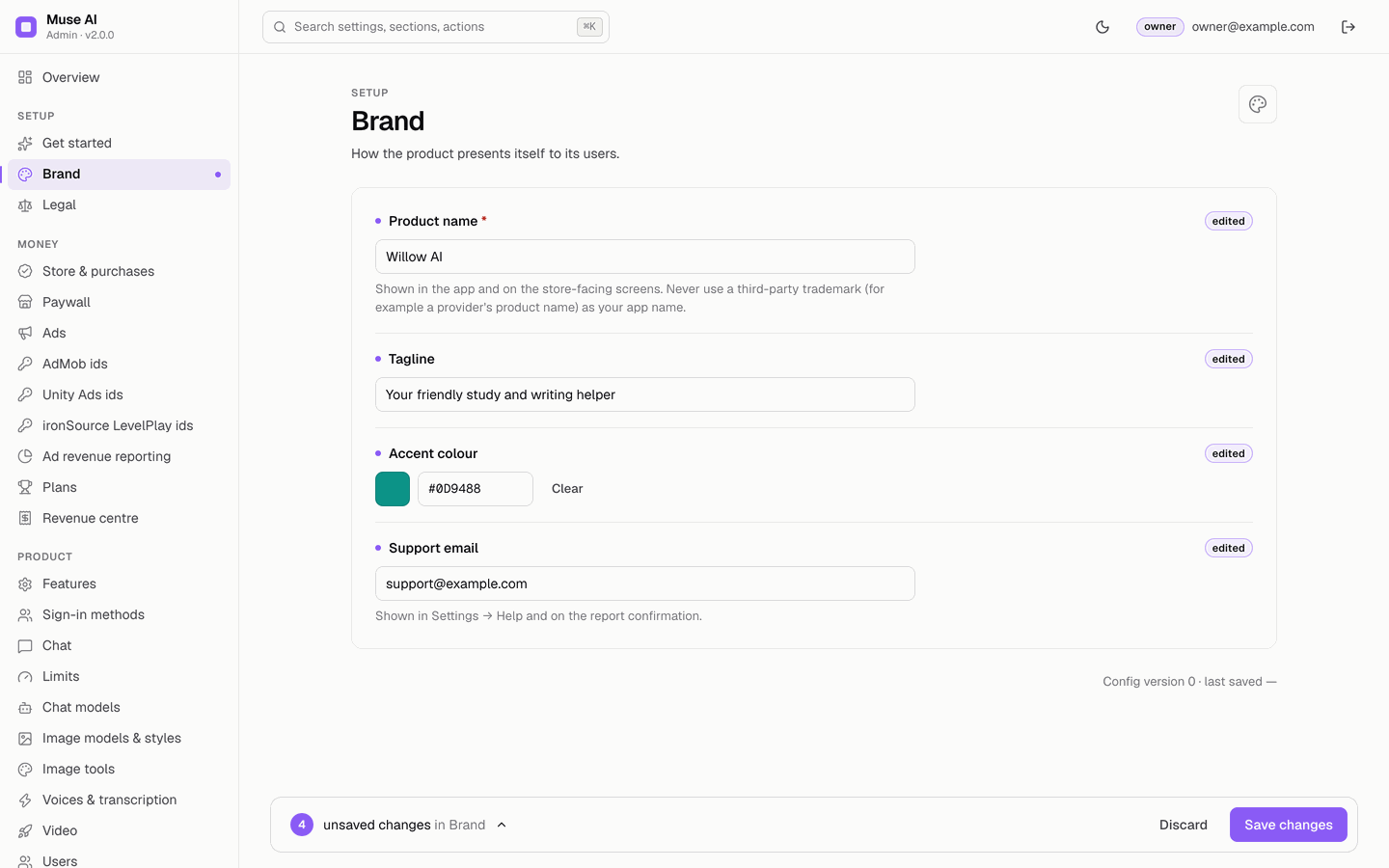
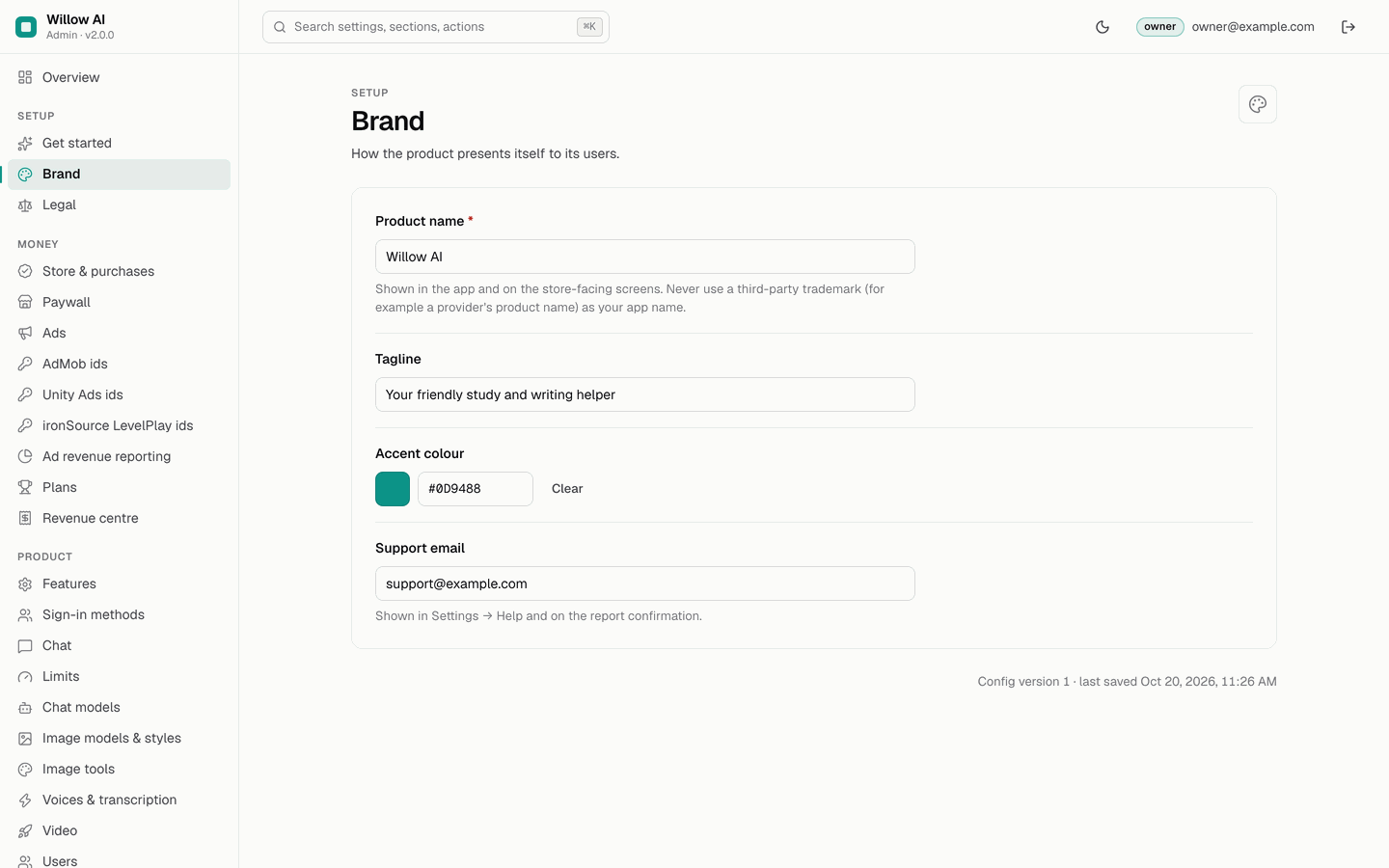
03Step 2 · Change the suggestion chips
- OpenConsole → Chat → Suggestions on the empty chat.
- Removethe shipped suggestions with the × on each chip.
- Addyour own: type one, press Enter, repeat (up to 8, each up to 80 characters). Here: "Summarise my lecture notes", "Quiz me on the French Revolution", "Fix the grammar in my essay", "Make a weekly study plan".
- Save changes.
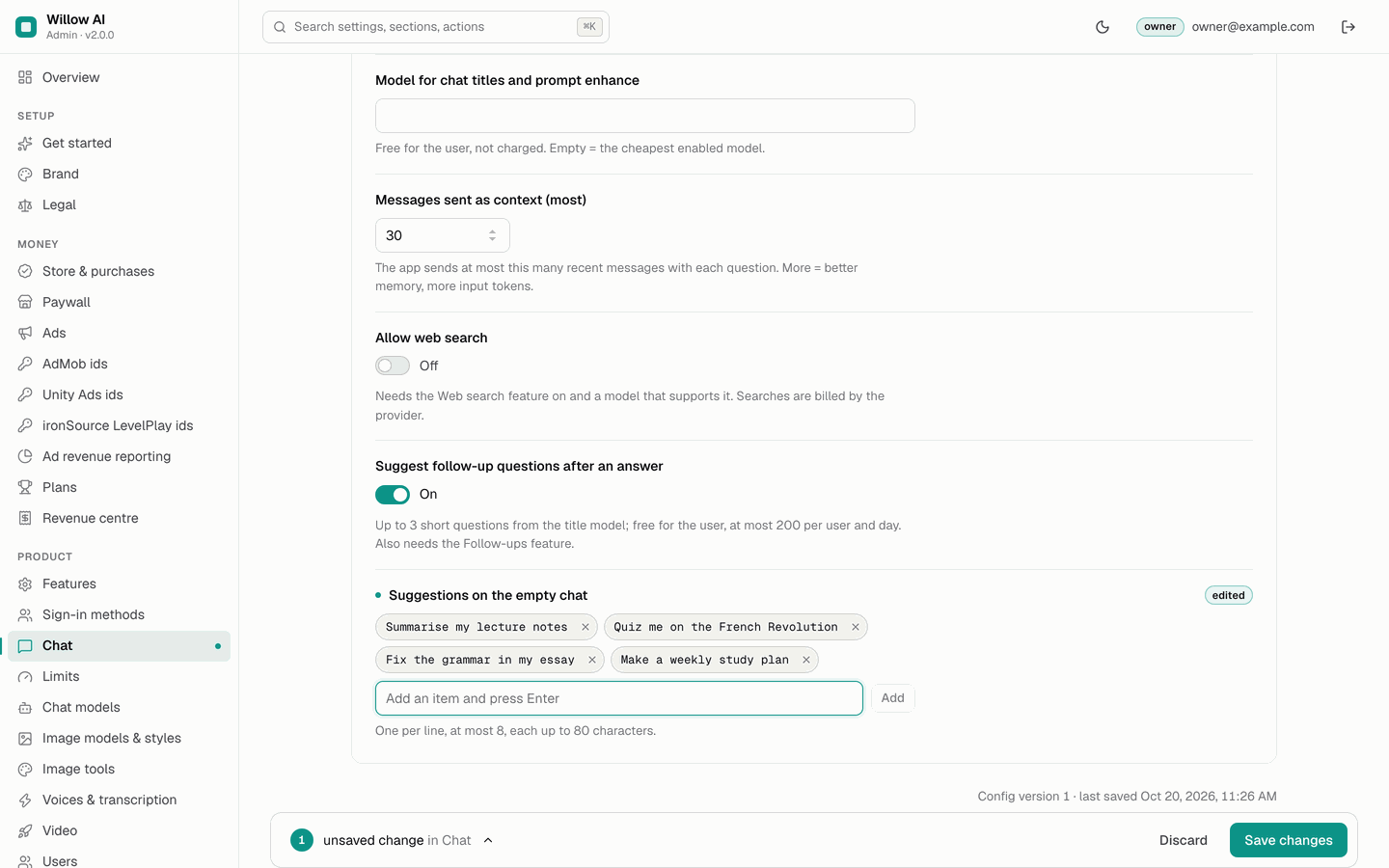
04The result in the app
The app loads the new configuration the next time it starts. No rebuild, no store update. Compared with the shipped app below:
- The name in the top bar and on the empty chat reads "Willow AI", and the tagline in Settings reads "Your friendly study and writing helper".
- Buttons, rings, selected chips and the glow use teal instead of violet.
- The chips above the composer are the four study suggestions.
- Settings → Contact support opens your support address.
What does not change: the model name "Muse Fast" (it is the label of the model; edit it on Chat models), the welcome page pictures, the name under the icon on the phone and the icon itself (the last two need a rebuild, below).
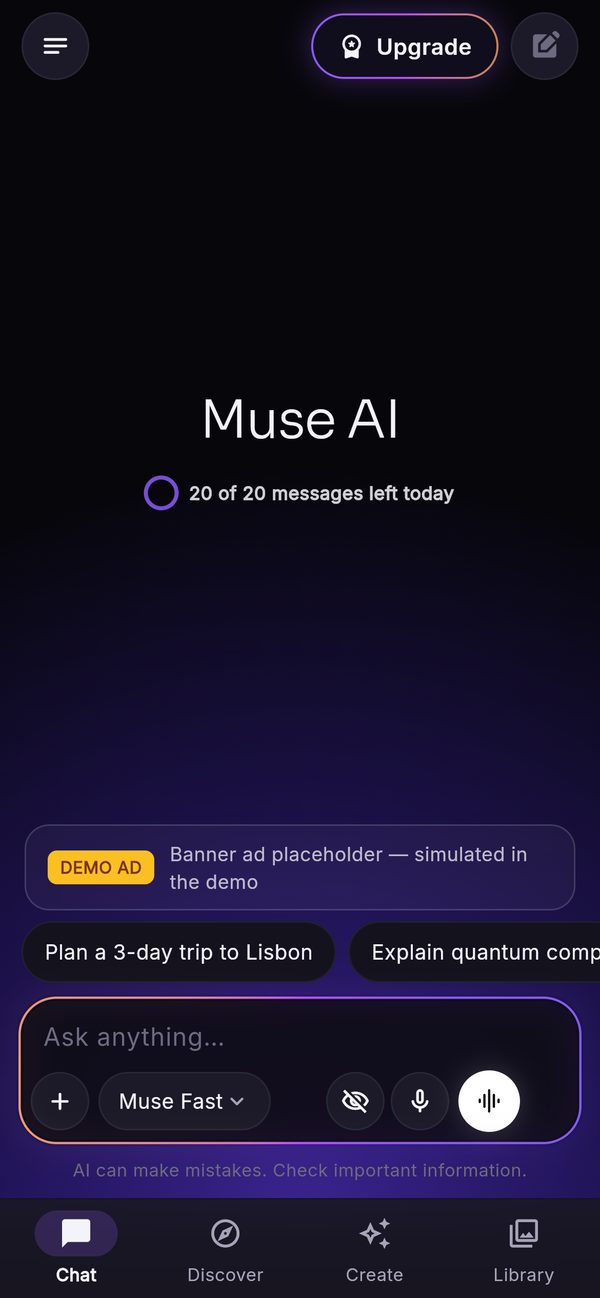
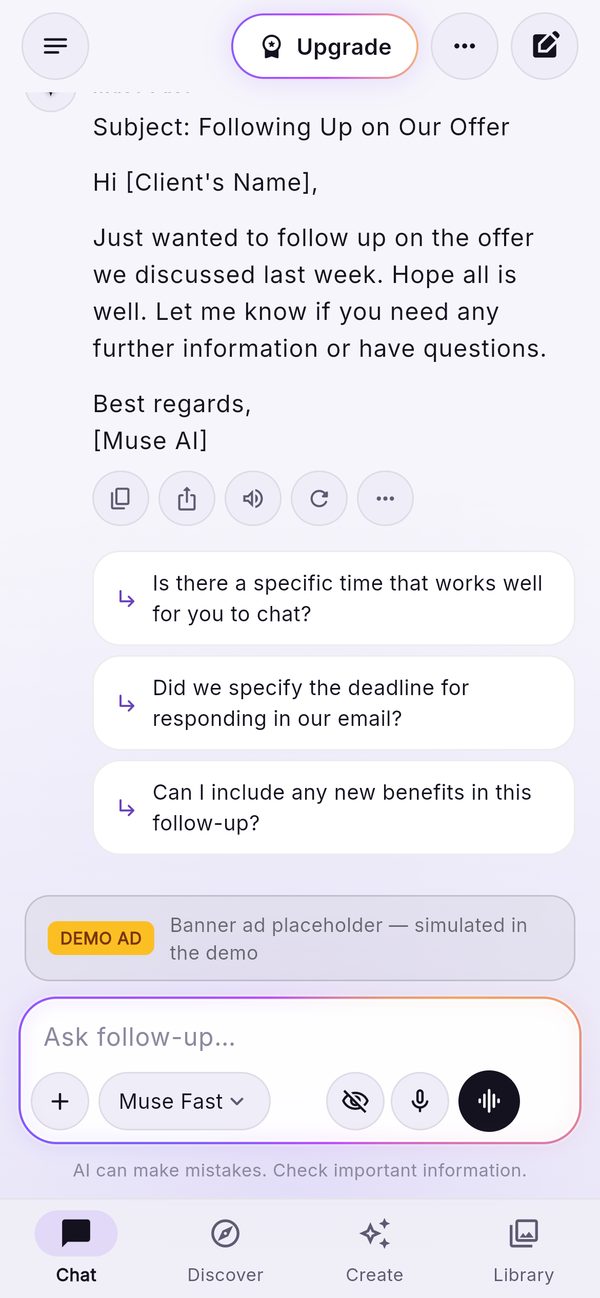
The console captures come from the 2.0.0 console running locally with sample data (Quick start), where the owner made these exact edits. The app pictures show the shipped brand; there is no "after" app picture of the Willow AI example in these pages, so the result is described in words. On your install the console writes the change to Firestore, your backend serves it, and the app shows it at its next start.
05More you can change in the console
- Labels and badges of models: Chat models, Image models, Image tools, Voices, Video (for example rename "Muse Fast" to "Willow Quick").
- Assistants and prompts: write assistants for your audience (Assistants) and prompts with fill-in fields (Prompt library); hide the ones you do not want.
- The AI notice and image badge wording: Legal. They cannot be empty.
- Plans and the paywall: plan names, colours, features with icons, the paywall texts (Plans and paywall).
- Caption styles and Discover categories: Caption styles, Discover.
The full list is on What you change without code.
06In the code · name under the icon
- Android
app/android/app/src/main/AndroidManifest.xml→android:label="…". - iOS
app/ios/Runner/Info.plist→CFBundleDisplayName. - Web
app/web/index.html(<title>and the apple-mobile-web-app-title) andapp/web/manifest.json(name,short_name).
07In the code · launcher icon
The icon is drawn in code by app/tool/gen_icons.py (a glow and a four-point sparkle in the Muse colours). It writes every Android, iOS and web size and assets/brand/logo-1024.png. Two ways to change it:
- Change the drawing: edit the colours at the top of
gen_icons.py(BG,VIOLET,INDIGO,CYAN,PINK) and run it fromapp/(needs Python 3 with Pillow):/usr/bin/python3 tool/gen_icons.pyTerminal: macOS or Linux as shown; on Windows use WSL or Git Bash (how).
- Use your own artwork: replace the generated PNGs in
android/app/src/main/res/mipmap-*,ios/Runner/Assets.xcassets/AppIcon.appiconsetandweb/icons(plusweb/favicon.png) with the same file names and sizes, or use a tool such asflutter_launcher_icons.
08In the code · app id and deeper changes
- Application id / bundle id: replace
com.mikodes.museaibefore your first store upload; step by step in Release → ids to replace. - Colours beyond the accent: the "Nebula" palette (near-black background, the violet glow, glass surfaces, text colours, the light theme) is in
app/lib/core/theme.dart; the glow, glass and orb widgets are inapp/lib/ui/widgets/nebula.dart. - Fonts: Sora and Inter ship in
app/assets/fonts/(SIL OFL); swap them inpubspec.yaml. - Texts and languages: Localization.