Localization.
9 languages, and how to add one.
The app ships in English, Spanish, German, French, Portuguese, Turkish, Arabic (right to left), Hindi and Indonesian. Screen texts are compiled into the app; texts you set in the console (name, suggestions, plans, assistants, prompts) are not translated automatically.
01How the texts are organised
- Strings live in
app/lib/l10n/app_<lang>.arb(en,es,de,fr,pt,tr,ar,hi,id). app_en.arbis the template. It is generated bypython3 tool/gen_en_arb.pyfrom the table in that script, so change English texts in the script and run it again; a hand edit ofapp_en.arbis overwritten the next time someone runs the generator.flutter gen-l10nruns automatically on build (generate: true) and writesapp_localizations*.dart.test/l10n_parity_test.dartchecks that every language has every key, placeholder and plural.- The user picks a language under Settings → Language, or keeps the system language. The same list is offered for caption translation in the video editor and for the voice language.
02Change a text
- EnglishEdit the line in
app/tool/gen_en_arb.py(for examplek('onb1Title', 'Meet {app}')), then runpython3 tool/gen_en_arb.pyfromapp/. - Other languagesEdit the same key in
lib/l10n/app_<lang>.arb. Keep placeholders such as{app}and plural forms intact. - Check
flutter test test/l10n_parity_test.dartin a terminal (macOS or Linux; on Windows WSL or Git Bash), then run the app.
03Add a language
- Copy
lib/l10n/app_en.arbtolib/l10n/app_<code>.arb(for exampleapp_it.arb), set"@@locale": "<code>"and translate every value. - Register itAdd the code to
appLanguagesinlib/state/app_state.dartand its own name tolanguageNamesinlib/ui/screens/settings/settings_screen.dart, so it appears in the language picker. - Generate and test
flutter gen-l10n(or just build), thenflutter test. The parity test checks the new file against the English template. - iOSAdd the code to the
CFBundleLocalizationslist inios/Runner/Info.plist, so iOS lists the language for your app.
04Right to left
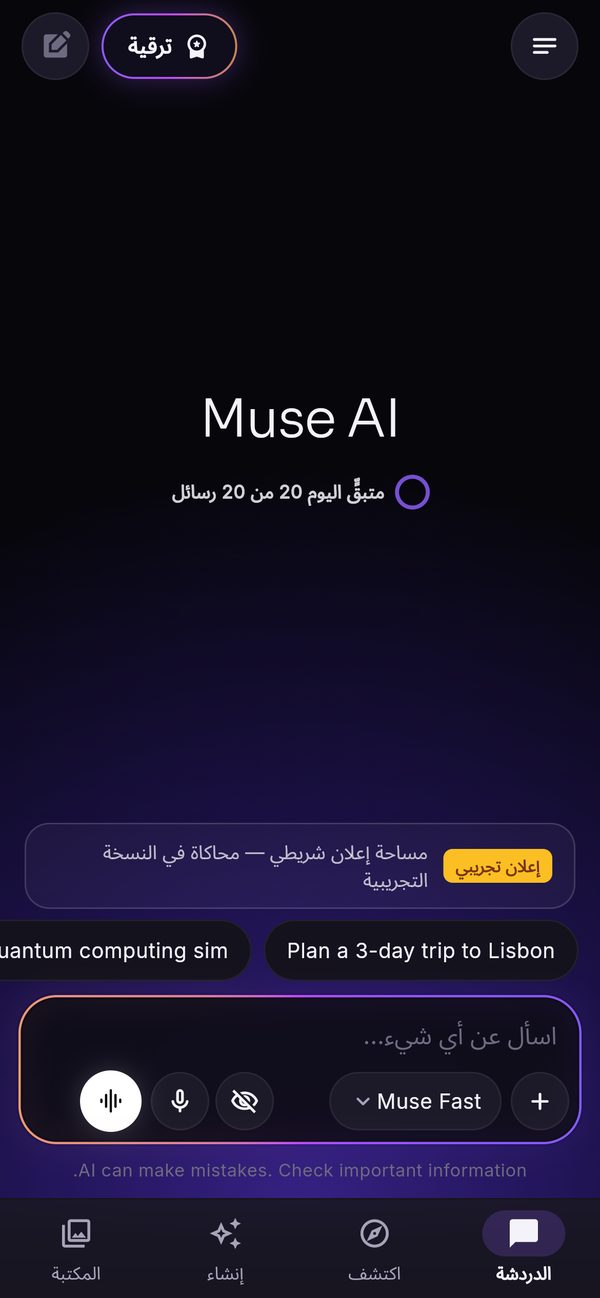
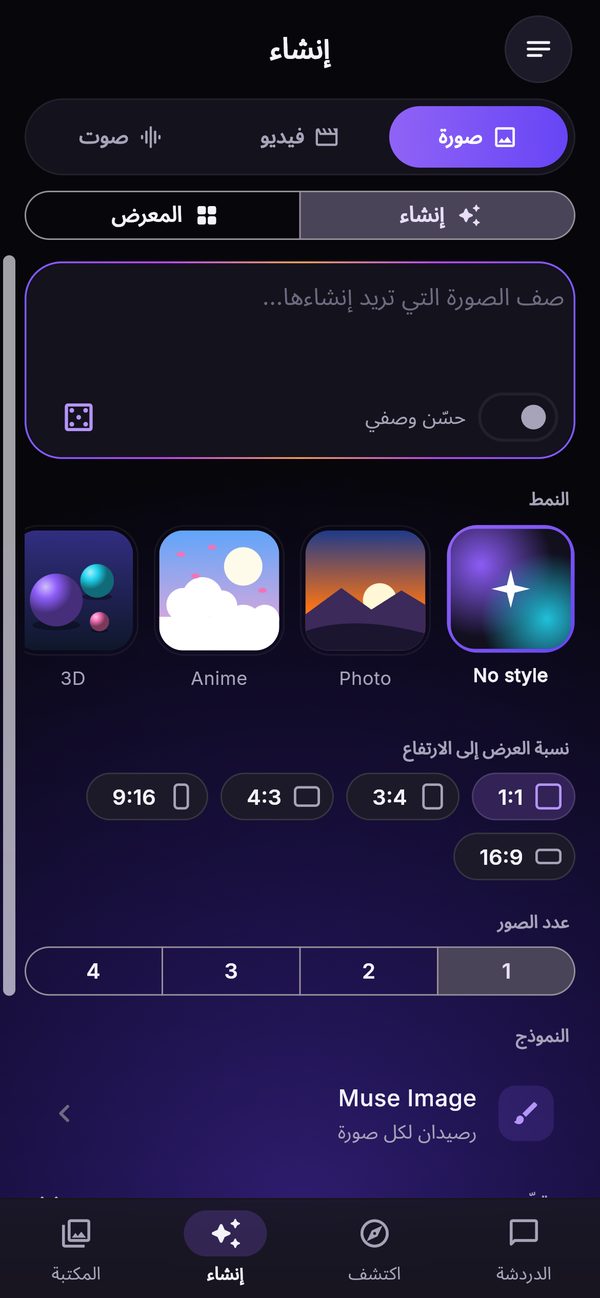
Arabic mirrors the whole layout: tabs, the menu, chips and the composer. The pictures below are real captures of the web demo in Arabic.
05Texts from the console
The product name, tagline, AI notice, image badge, suggestions, plan names and features, paywall texts, model, voice and caption-style labels, Discover category names, assistants and prompts are written by you in the console in one language and shown as written. If your audience speaks one language, write them in that language. Discover headlines and summaries are shown in the language of each feed; AI briefs follow the app language.