
Voice.
Talk to the app, hear natural voices, turn speech into text.
Users can dictate, listen to answers, talk hands-free in voice mode, and use a small voice studio. Listening and the device voice run on the phone and cost nothing. Natural voices and server transcription use a provider you choose, on your own account; both ship switched off, and the app falls back to the device voice whenever a natural voice is not available.
01What runs where
| Feature | Runs on | Needs a provider? | Switch |
|---|---|---|---|
| Dictation (microphone in the composer) | The phone's own speech recognition | No | Features → Voice input and read-aloud |
| Voice mode (listening) | The phone's own speech recognition | No | Features → Voice mode |
| Read aloud with the device voice | The phone's own text-to-speech | No | Features → Voice input and read-aloud |
| Read aloud with a natural voice | Your backend → OpenAI, ElevenLabs or Gemini | Yes, your own account | Features → Natural voices, plus an enabled voice |
| Transcription (voice notes, voice studio) | Your backend → OpenAI, Deepgram or Gemini | Yes, your own account | Features → Transcription |
| Auto captions in the video editor | Your backend → OpenAI or Deepgram (word timings) | Yes, your own account | Features → Auto captions (Video Studio) |
02Voice mode
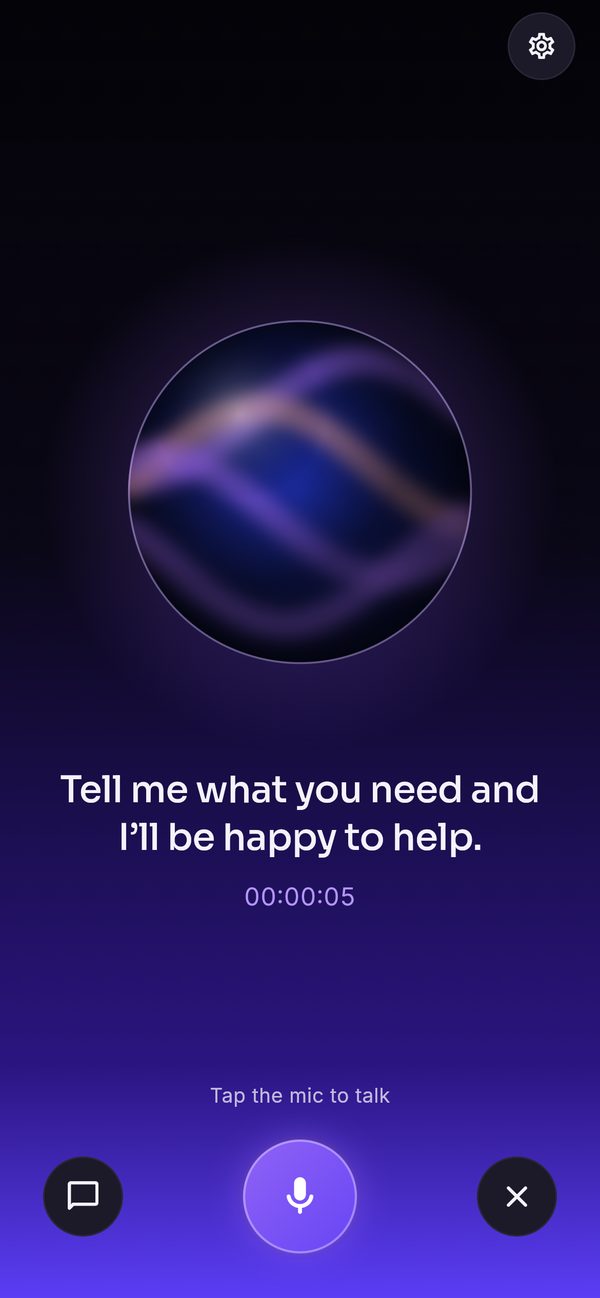
The white button in the composer opens voice mode: a full screen with an animated orb that follows the microphone and the reply, a status line, a session timer, and buttons for chat, microphone and close. The user speaks, the answer streams in, and it is spoken sentence by sentence while it arrives. Speaking again interrupts the reply. The conversation is saved as a normal chat (not in incognito).
03Natural voices
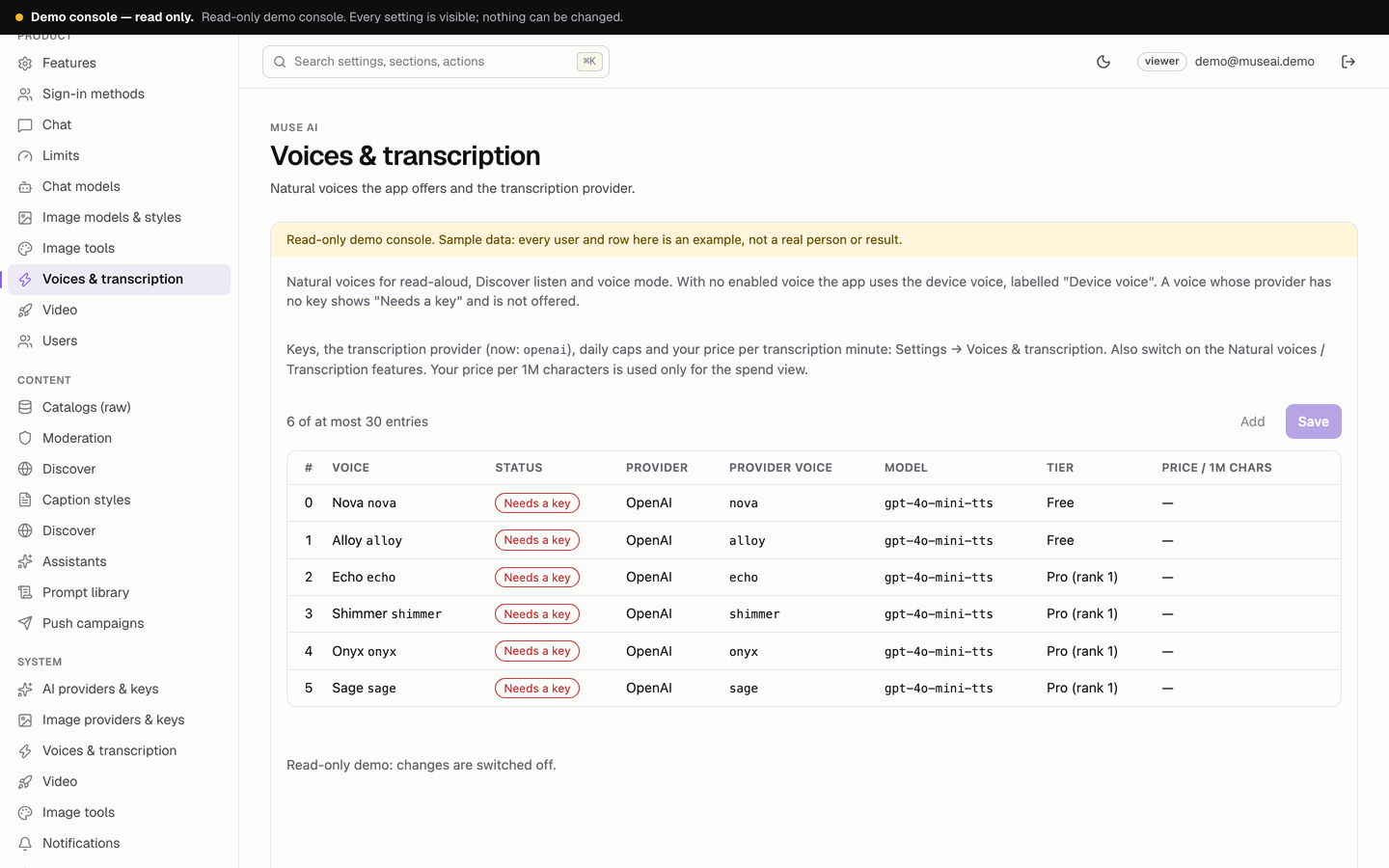
A natural voice is a high-quality voice generated by a provider instead of the phone. Six OpenAI voices ship in the catalog, all disabled: Nova and Alloy (tier free), Echo, Shimmer, Onyx and Sage (tier "pro"), on the model gpt-4o-mini-tts.
- KeyConsole → Voices & transcription settings → OpenAI key for voices and transcription (empty = the OpenAI key under AI providers), or an ElevenLabs API key, or a Google key for Gemini voices (empty = the Gemini key). Click Test. Where to get each key: Provider dashboards.
- VoicesConsole → Voices & transcription page: enable the voices you want, or add your own (label, provider, the provider's voice id or name, model for OpenAI and Gemini, tier, your price per 1M characters). For ElevenLabs, the voice is the voice id from your ElevenLabs account.
- Switch onConsole → Features → Natural voices on. Save.
- Users chooseSettings → Voice settings: voice, speed (0.5× to 2×) and voice language.
04When the app uses the device voice instead
The app reads aloud with the phone's own voice, labelled "Device voice", whenever a natural voice is not available. That happens when:
- natural voices are off, or no voice is enabled with a key;
- the chosen voice's tier is above the user's plan;
- the user's natural-voice characters for today are used up (free 3,000 a day; the example plan 100,000);
- the global daily cap is reached (Natural-voice characters per day, all users together, default 1,000,000), until 00:00 UTC;
- the provider fails or the network drops: the rest of that session continues with the device voice.
The public demo has no voice key, so it always uses the device voice. Device voices differ between phones and languages; that is normal.
05Transcription
Transcription turns recorded speech into text on your server. It is used by Voice note in the composer, by Transcribe in the voice studio (record, or choose an audio file of up to 25 MB) and by auto captions. The audio is sent to your provider and not stored on your server.
- ProviderConsole → Voices & transcription settings → Transcription provider: OpenAI (default;
gpt-4o-transcribe, orwhisper-1when word timings are needed), Deepgram (nova-3, utterances and word timings) or Google Gemini (text only). Transcription model may stay empty for the provider's default. - KeyThe matching key in the same section (the OpenAI and Gemini keys fall back to the AI provider keys; Deepgram needs its own). Click Test.
- Switch onConsole → Features → Transcription (and Auto captions if you want captions). Save.
Gemini returns text without timings, so with Gemini as the transcription provider auto captions are reported off. Use OpenAI or Deepgram for captions.
Charging: each request needs at least one minute left in the user's transcription minutes (free 5 a day), then charges the duration the provider reports, rounded up per started minute. Captions are charged in caption minutes per month instead. Global cap: Transcription minutes per day, all users together (default 1000).
06Voice studio
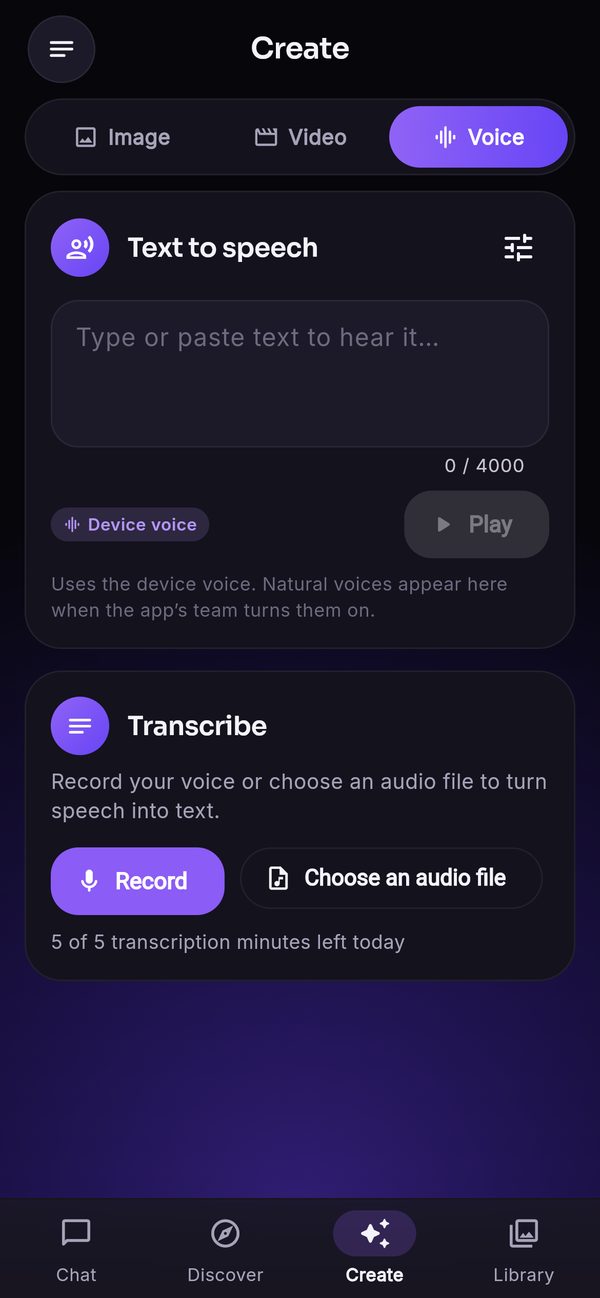
Create → Voice has two cards: Text to speech (type up to 4,000 characters, pick a voice and speed, play, save the clip to Library → Audio) and Transcribe (record or choose an audio file, then copy the text or use it in a chat). Without natural voices, text to speech uses the device voice and the card says so.
07Costs
Natural voices are billed per character and transcription per minute by your own provider account; you pay your own usage. Voice mode reads every answer aloud, so with a natural voice it uses characters quickly; the per-user allowance and the global cap keep it predictable. Enter your price per 1M characters (per voice) and per transcription minute in the console to see computed spend on Usage & spend. See Costs.
08Troubleshooting
- Always the device voice: see the list above;
/v1/healthshows"tts":"off","no_key"or"capacity". - ElevenLabs voice fails: the voice id is not in your account, or the key lacks the Voices permission (the key test names the missing ids).
- Voice note or Transcribe missing: transcription is off or its provider has no key (
"transcribe":"off"or"no_key"). - Dictation does not start: the user denied microphone or speech-recognition permission; it is re-enabled in the phone's settings.