
Features guide.
Every screen, and the setting behind it.
A tour of the app's features with the console setting or code location that controls each one. Use it to decide what to switch on and to answer your users' questions. Discover, Voice, Video Studio and Image tools have their own pages.
01Chat
The main screen. Users type or speak a question and the answer appears word by word.
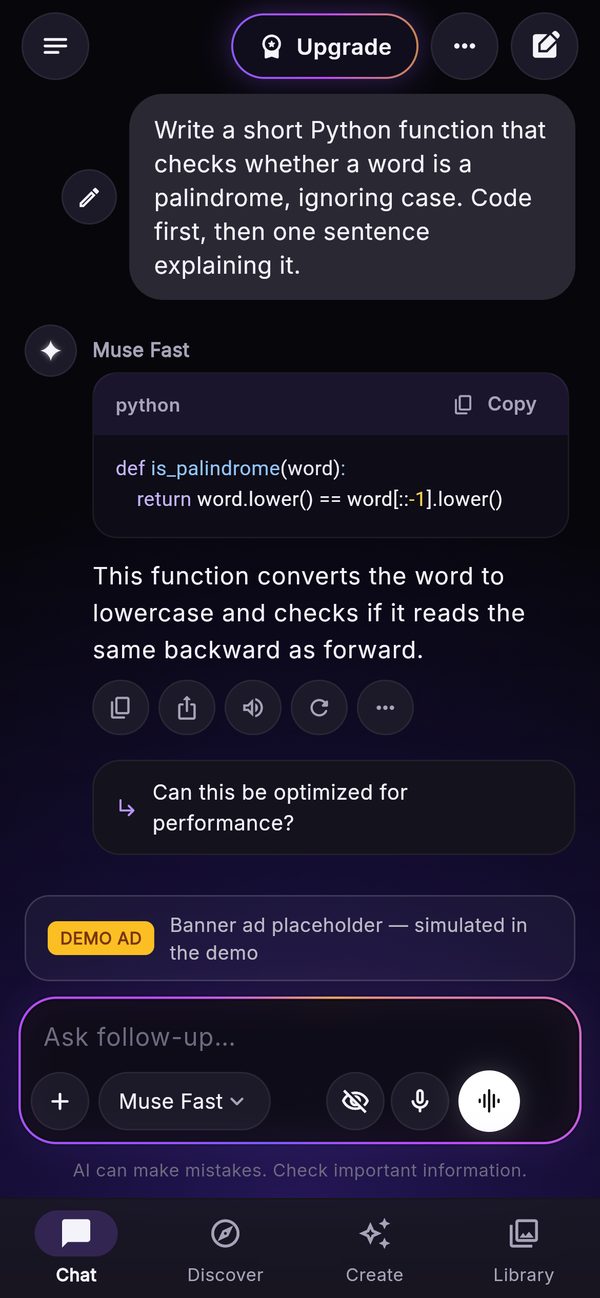
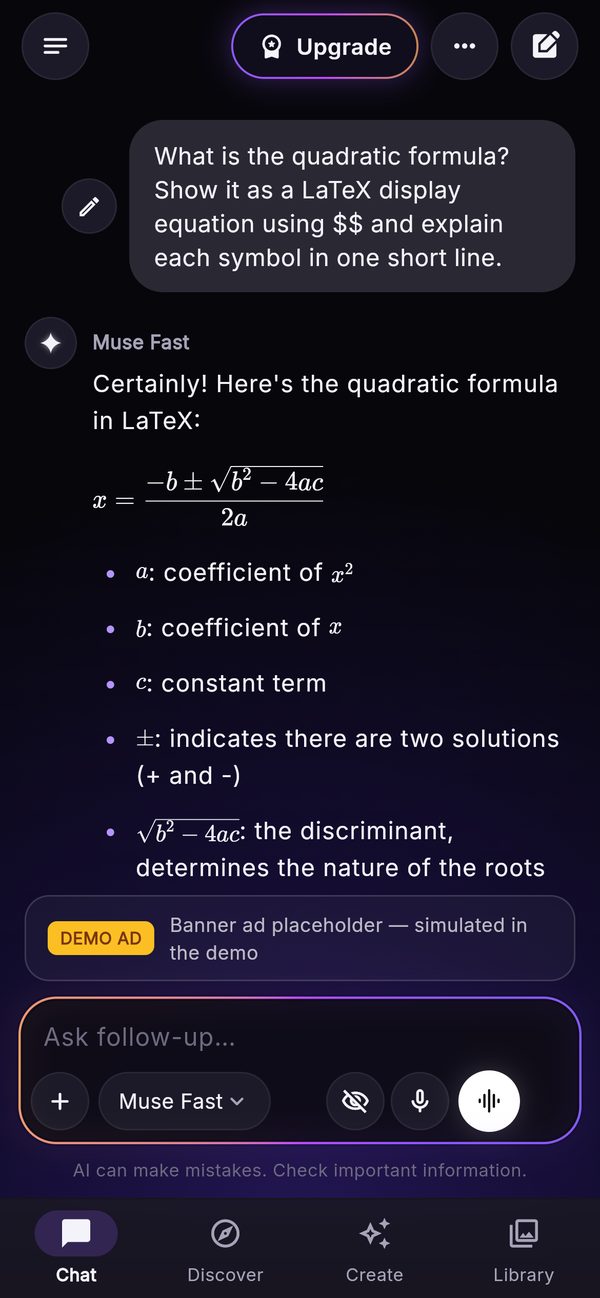
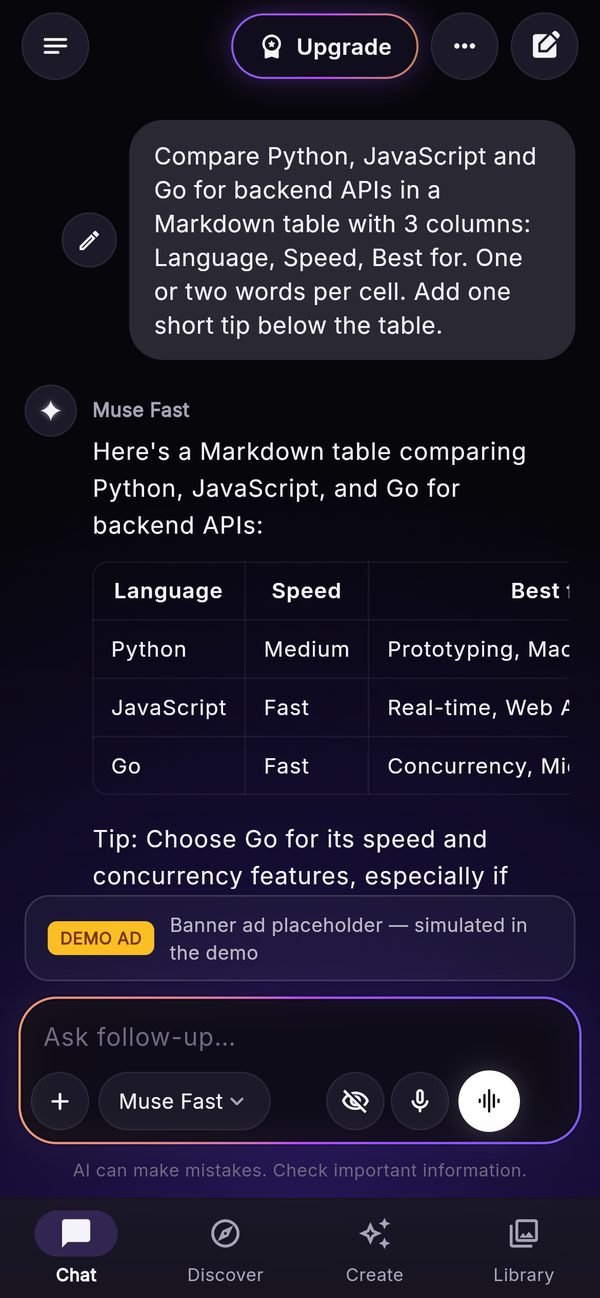
- Streaming answers with Markdown, tables, code blocks with syntax highlighting and a copy button, and LaTeX formulas (
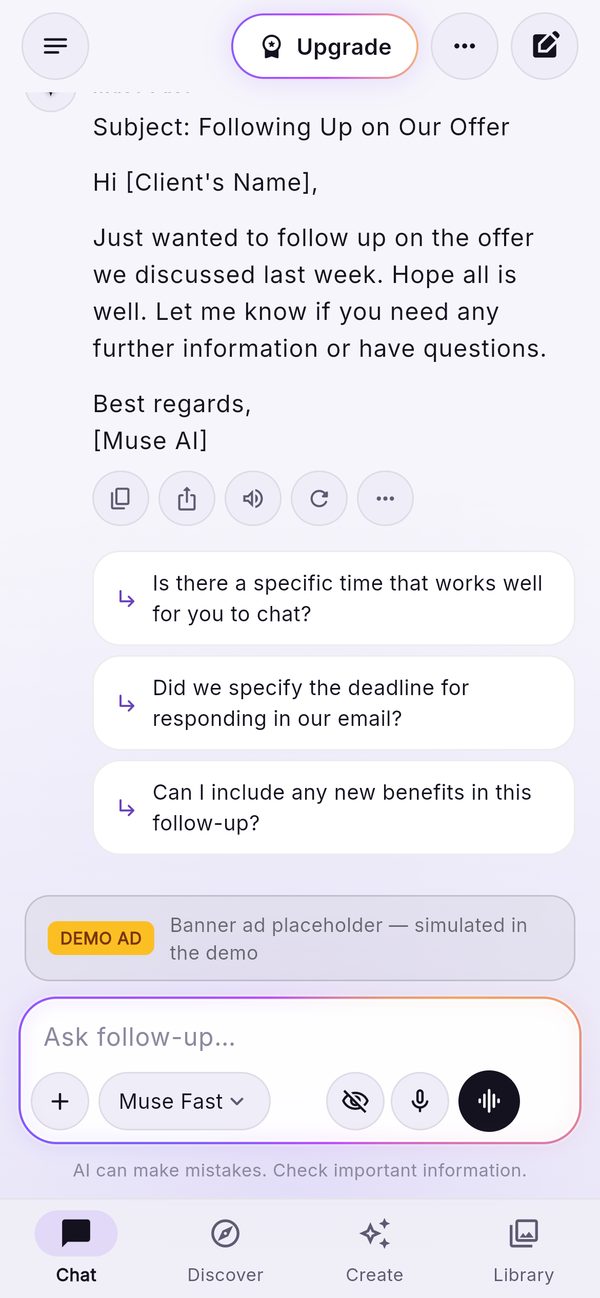
$…$,$$…$$). - Actions under each answer: copy, share, read aloud, regenerate, and a menu with thumbs up / down (a marker kept with the chat on the device), share as card (the answer as a picture with your app name) and report. Users can stop an answer while it streams and edit and resend their own message.
- Follow-up suggestions: up to three short questions after an answer, from the title model (free for the user, billed to you; at most 200 per user and day). Switch: Console → Chat and Features.
- Sources sheet: when web search is on and the model supports it, the answer shows its sources as a strip that opens a sheet.
- Incognito: a toggle in the composer; incognito chats are not saved on the device, not backed up and get no AI title. Switch: Features → Incognito chats.
- Automatic chat titles from the first message, made by the title model.
- Model picker in the composer: label, badge, what the model reads (images, PDF), credit cost, and a lock for models above the user's plan.
- Custom instructions (Settings → Custom instructions), sent with each chat.
- The AI notice under the composer is always shown (wording: Console → Legal).
02Attachments and the "+" menu
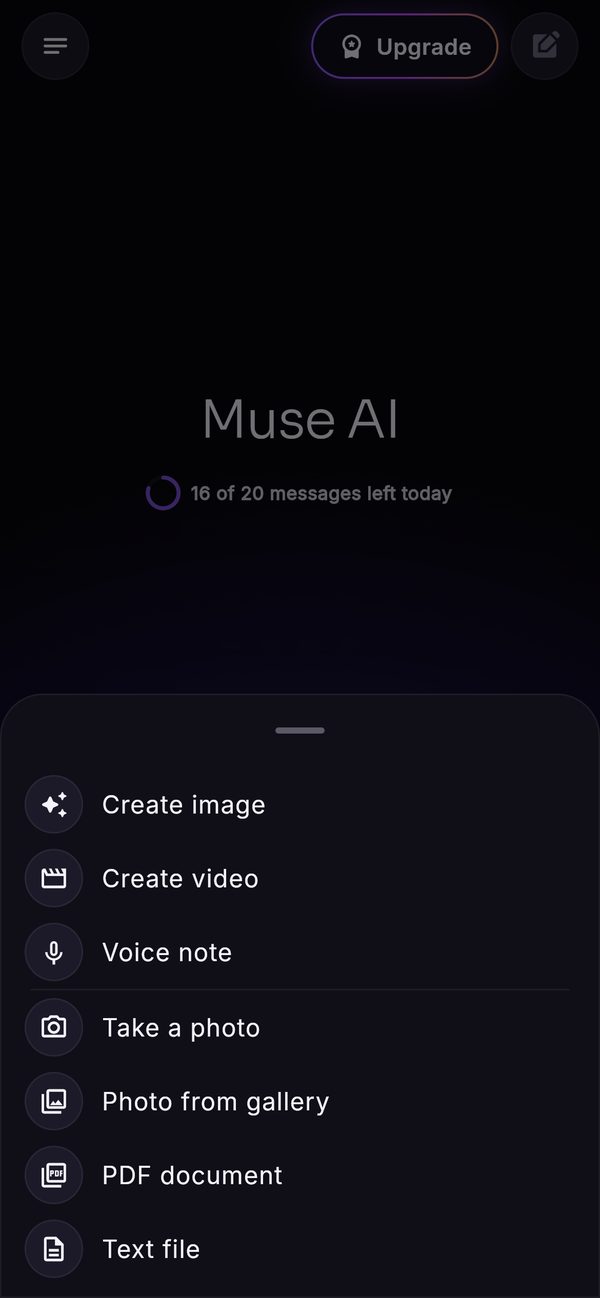
The "+" in the composer offers Create image, Create video, Voice note, Take a photo, Photo from gallery, PDF document and Text file. Photo and PDF appear only when the chosen model has Photos or PDF files ticked in the console. Limits per attachment: images up to 5 MB, PDFs up to 10 MB, text files up to 200,000 characters. Create image shows the picture inline in the chat. Voice note records and transcribes (needs transcription, Voice). Attachments are sent to the provider with the message and not stored on the server.
03History
The menu at the top left: search across titles and text, folders, pin, rename, delete, export a chat as Markdown or PDF. All of it is on the device. The optional Back up chats (Settings) stores a copy in the user's own Firestore folder users/{uid}/sync when the user is signed in with Google, Apple or e-mail; switch: Console → Features → Cloud backup.
04Voice, Discover and Create
| Module | What users get | Guide |
|---|---|---|
| Voice | Dictation, read aloud, voice mode with an orb, natural voices or the device voice, voice notes, text to speech and transcription in the voice studio | Voice |
| Discover | News from your feeds by category, AI briefs with numbered sources, listen, bookmarks, ask follow-up | Discover |
| Create · Image | Image Studio (prompt enhancer, 12 styles, aspect ratios, 1 to 4 images, gallery), plus edit with a prompt, remove background and upscale | below, Image tools |
| Create · Video | AI video from a prompt or a picture, the on-device editor, auto captions | Video Studio |
| Create · Voice | Text to speech with save to the Library, transcription of a recording or an audio file | Voice → voice studio |
05Image Studio and gallery
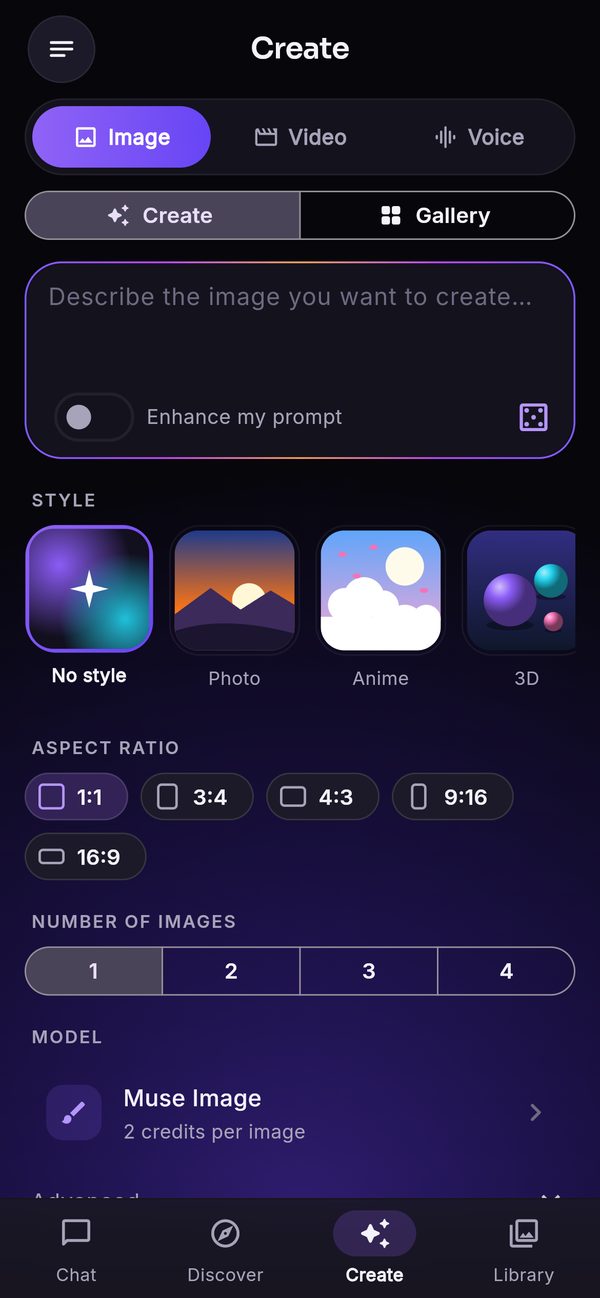
- Prompt, Enhance my prompt (rewritten by the title model), 12 styles with preview tiles, aspect ratios 1:1, 3:4, 4:3, 9:16, 16:9, 1 to 4 images, model picker.
- Viewer: zoom, save to the photo library, share, reuse the prompt, report, delete, and the image tools when configured.
- Gallery: the user's images, stored in your Firebase Storage and listed through the API, so it follows the user to other devices once they sign in with the same account.
- Every generated image shows the "AI-generated" badge, and saved or shared files carry it in their metadata (PNG text chunk, JPEG EXIF).
Switch: Console → Features → Image generator. Models and styles: Console → Image models & styles.
06Library
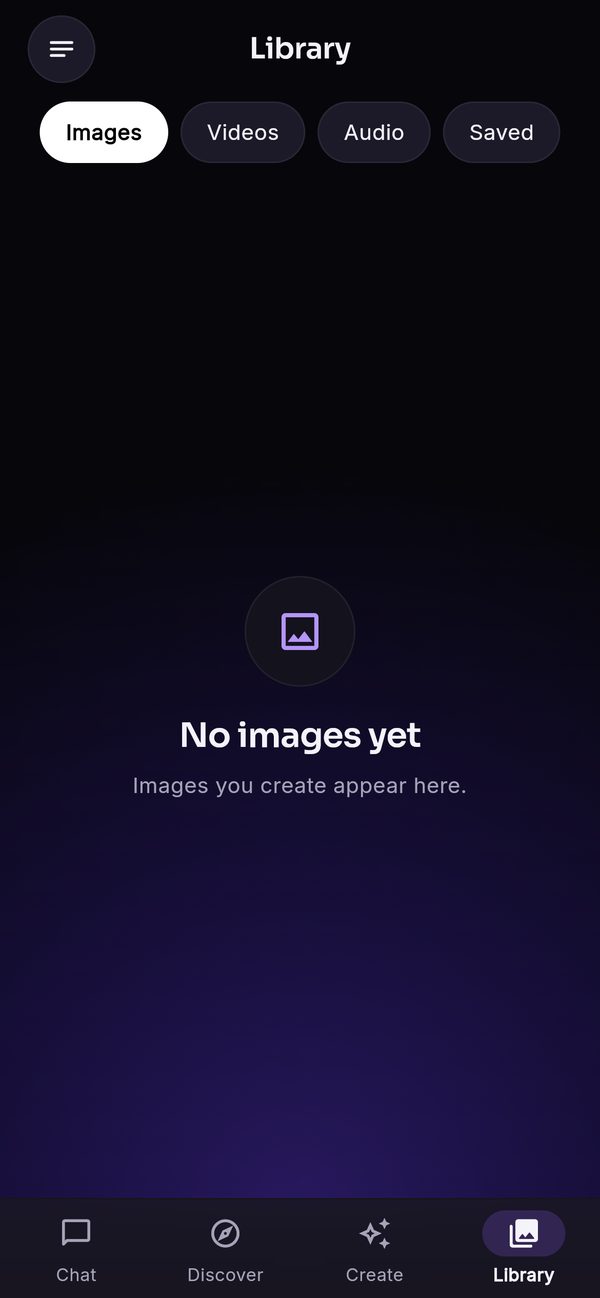
Four tabs: Images, Videos (exported edits and AI videos), Audio (saved voice clips and recordings) and Saved (bookmarked Discover articles). Generated images and AI videos live in your Storage; exported edits, audio and bookmarks live on the device.
07Assistants and prompts
Opened from the menu. Assistants by category (writing, work, learn, code, life, fun, create), each with a description and conversation starters, plus the user's own assistants. Prompts: the prompt library with a fill-in sheet for {placeholders}, plus the user's own prompts. Edit both catalogs in the console; switches under Features.
08Plans, credits and the daily allowance
Users without a plan get a free allowance (Console → Limits). Beyond it they can use credits (bonus credits you grant, or purchased packs), unlock one message or image with a rewarded ad, or buy one of your plans. A plan gives its own allowances and the models, voices and tools whose tier it reaches. Plan and usage in the menu shows a meter for every allowance. Everything paid ships off: Monetisation, Plans and paywall.
09Safety features
- Age self-confirmation on first launch (Console → Legal). It is a checkbox, not age verification.
- Report button on answers and images; reports land in Console → Reports.
- Server-side moderation and the provider's own safety (moderation scope).
- Delete account (Settings → Delete account): deletes the account, credits, generated images and videos and the backup on the server and the chats on the device. Required by both stores (what is kept).
10Settings
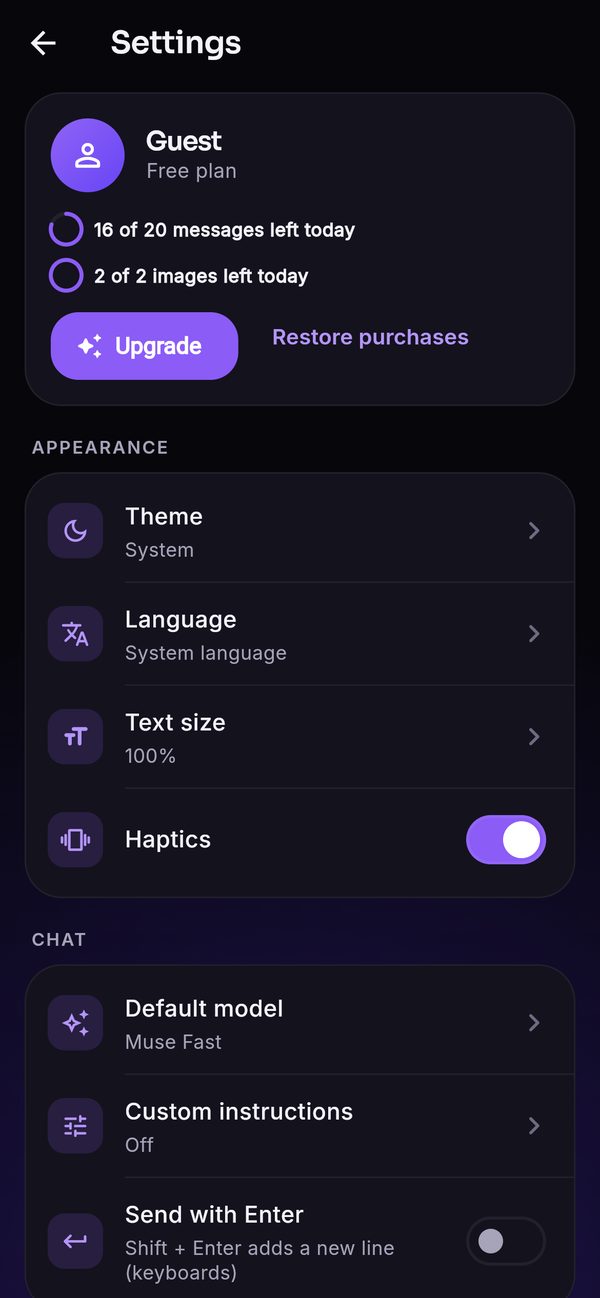
Opened from the menu: profile, plan and allowance, Upgrade, Restore purchases, sign in or out, theme (system, light, dark), language (9 or the system language), text size, haptics, default model, custom instructions, send with Enter, read answers aloud automatically, voice settings (natural voice, speed, voice language), backup, notifications, ad privacy choices (Google's consent form), delete local data, delete account, legal pages (privacy, terms, about AI), contact support, open-source licences, version.
11Accessibility and layout
Dark and light theme, adjustable text size, right-to-left layout for Arabic, and every decorative animation is skipped when the system asks to reduce motion. Tablet and wide-screen layouts are included.